
天守 Tenshu
天守 (tenshu) — The main tower of a Japanese castle. The highest point from which the lord surveys and commands everything below. Literally "Protector of Heaven" (天 = heaven, 守 = protector/guardian).
Real-time dashboard for OpenClaw AI agent teams. Monitor your autonomous agents with anime-styled command centers, live activity feeds, experiment tracking, and system metrics.

Screenshots
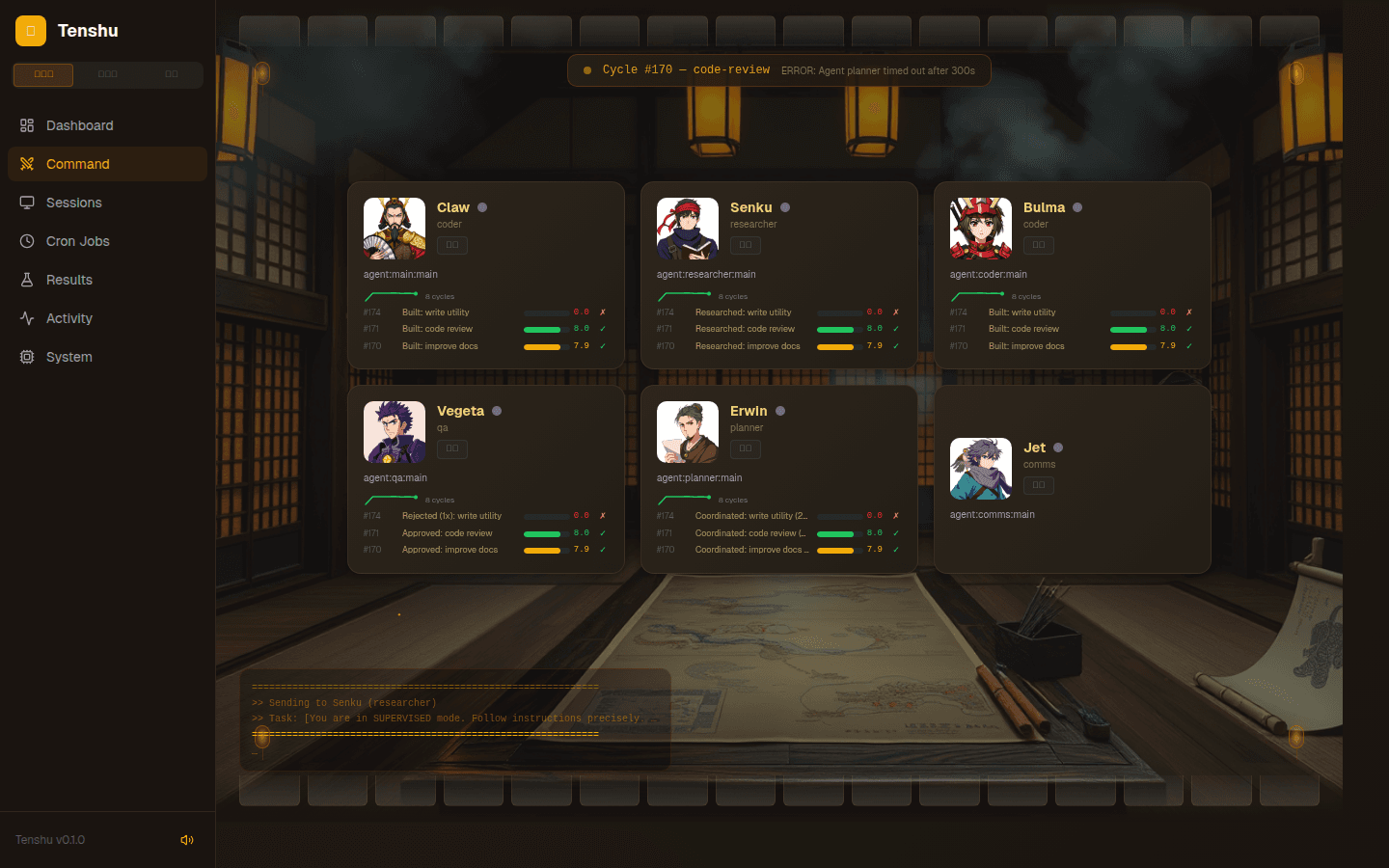
Command Center — War Room (作戦室)
AI-generated anime character portraits, per-agent task history with score trend sparklines, dust mote/firefly particles, and a Japanese dojo background.
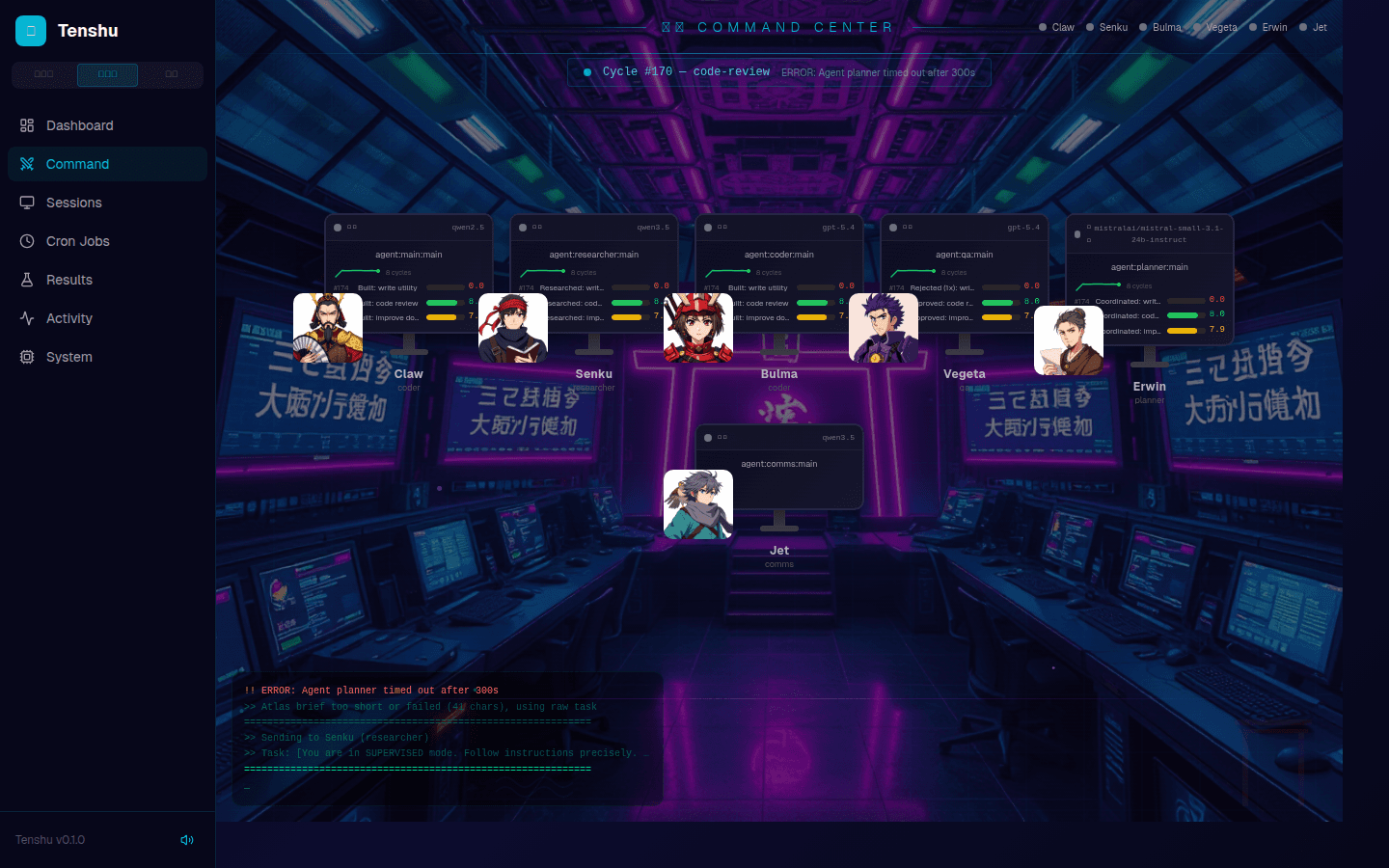
Command Center — Control Deck (指令台)
Cyberpunk-themed mission control with neon grid, CRT scan lines, live terminal feed, agent monitor stations, and rising energy particles.
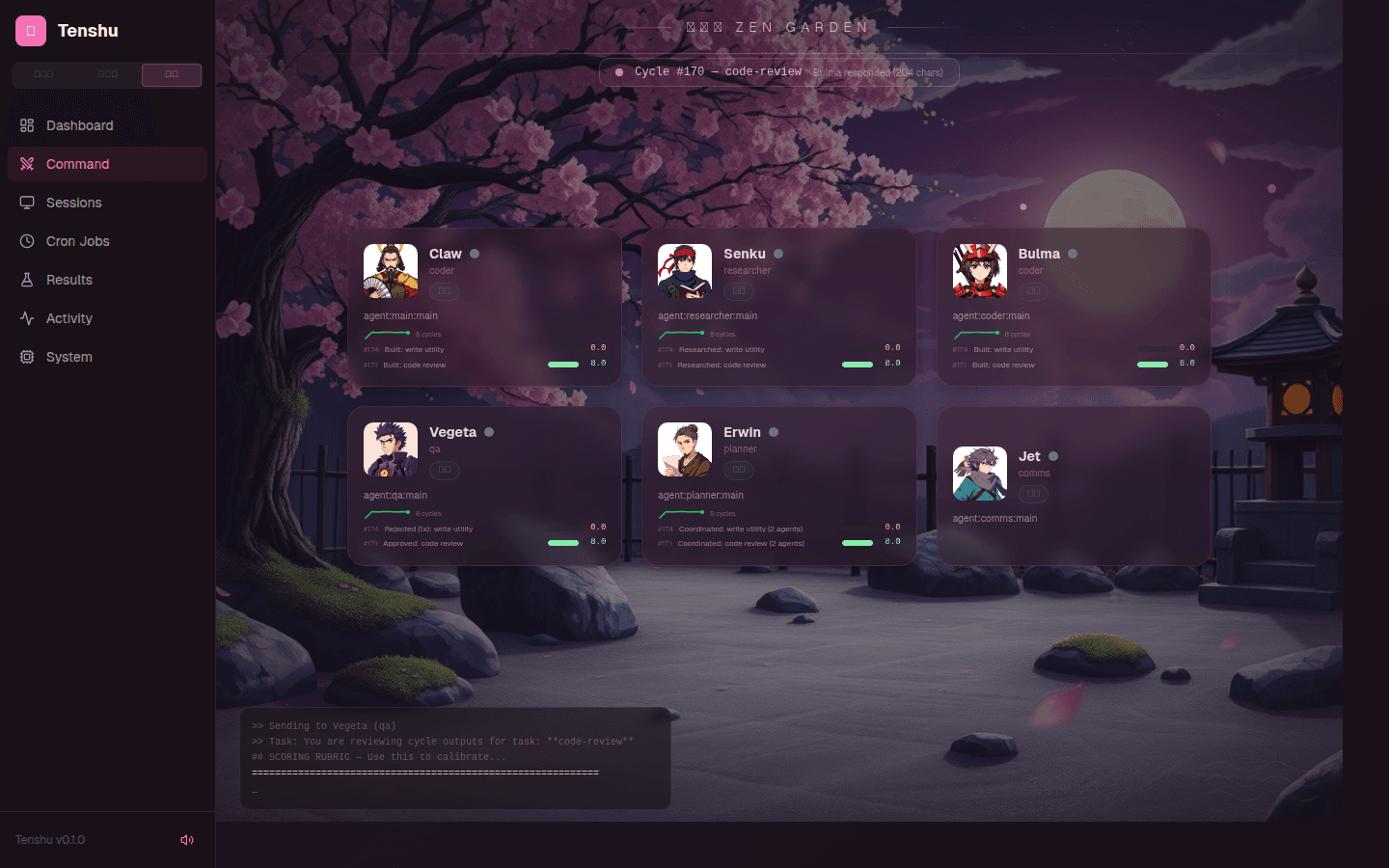
Command Center — Zen Garden (枯山水)
Peaceful cherry blossom theme with falling sakura petals, pink/stone palette, zen rock garden background, and frosted glass agent cards.
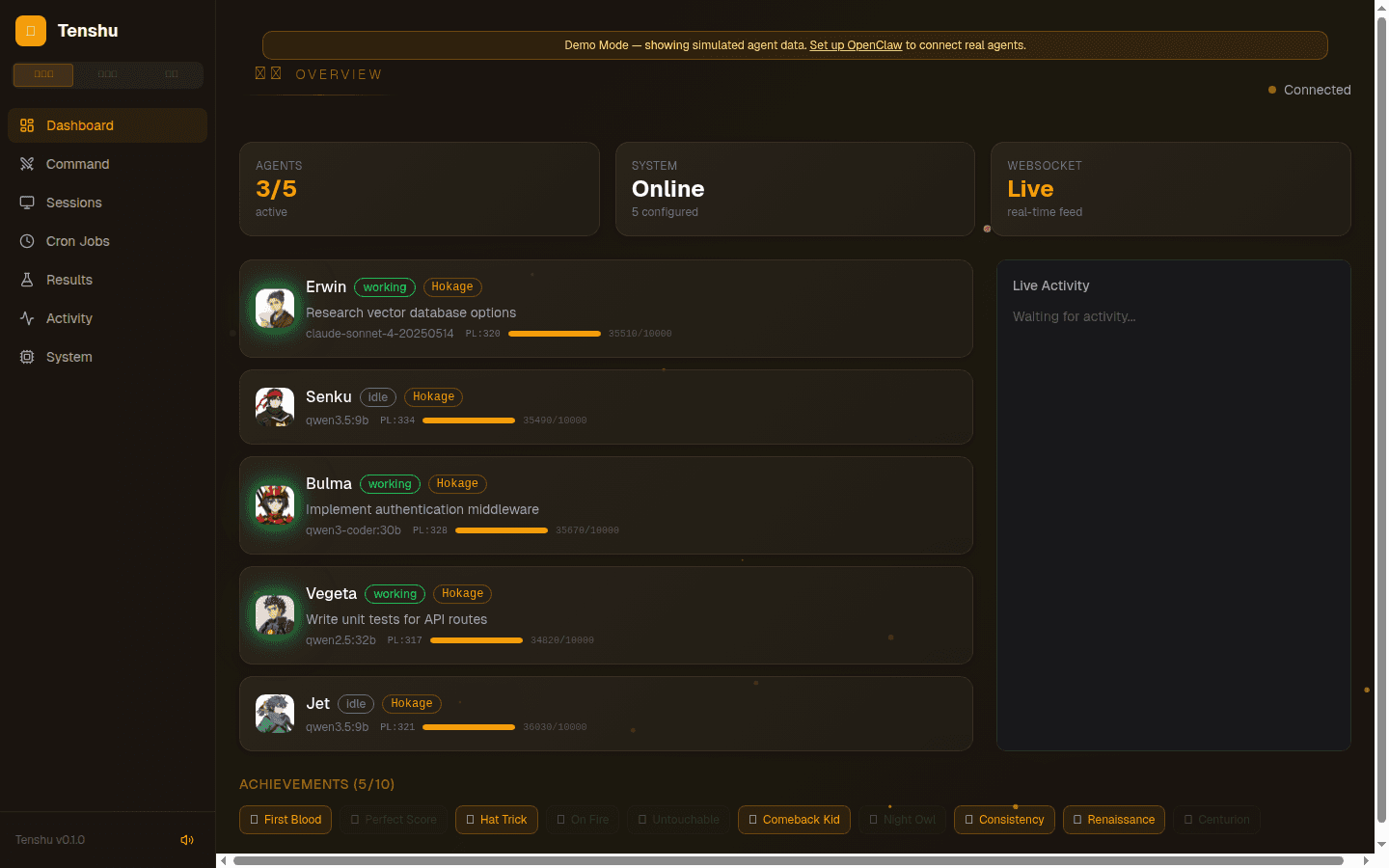
Dashboard
Live agent status cards with WebSocket connection indicator, model info, and real-time activity feed. Themed to match the active global theme.
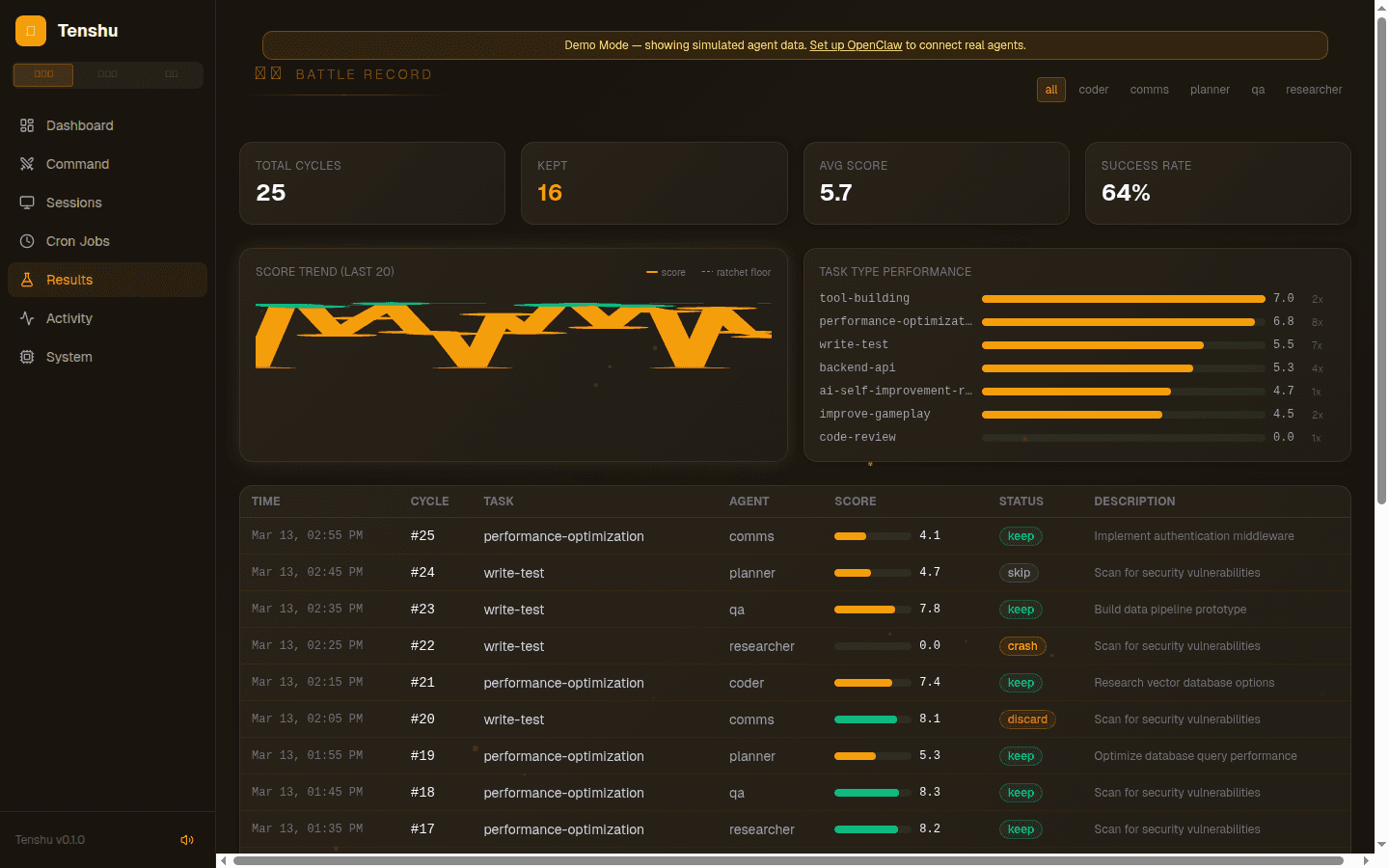
Results Log
Experiment results from orchestrator cycles — score trends, keep/discard ratcheting, success rate stats. Based on the Karpathy autoresearch pattern.
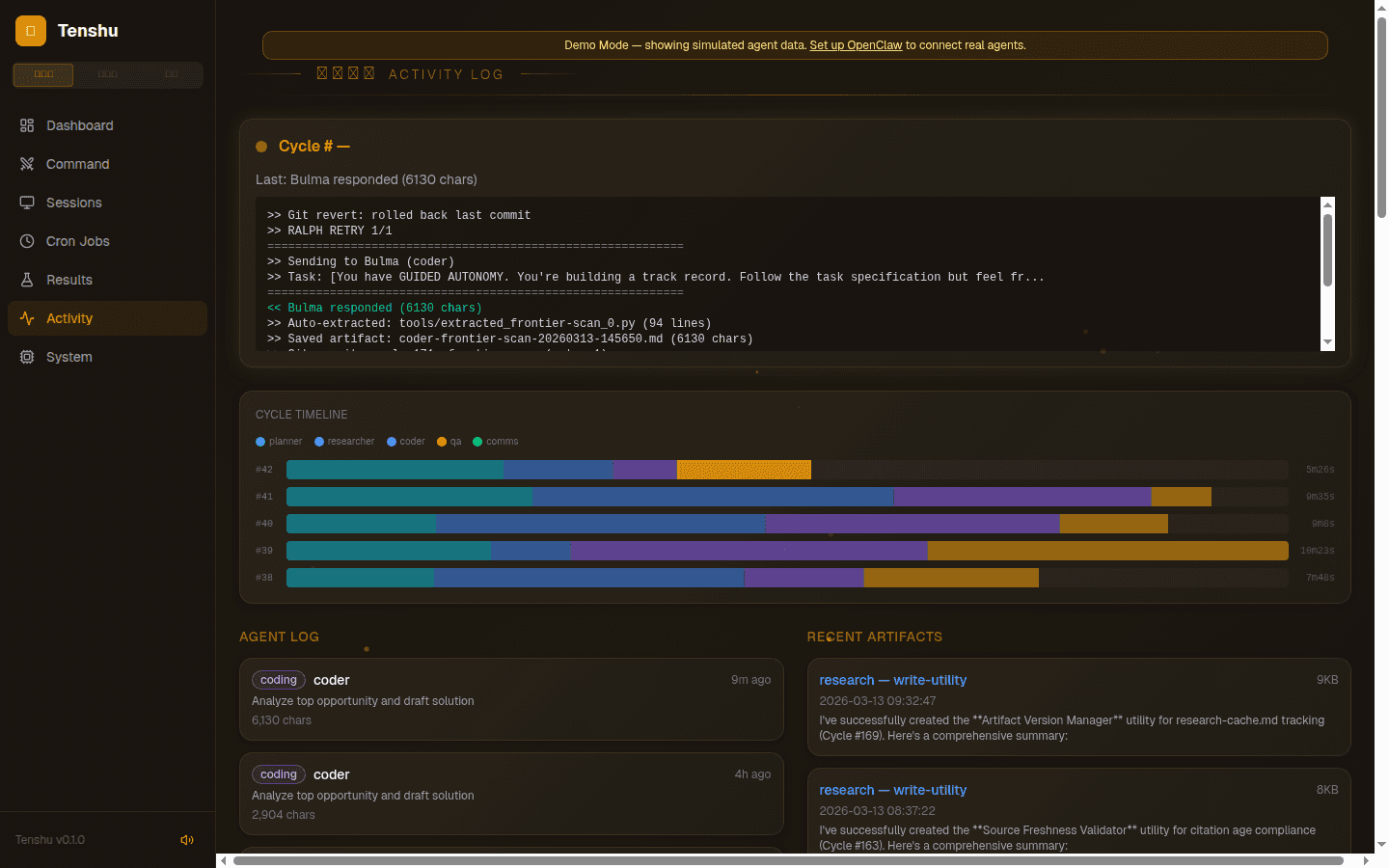
Activity Feed
Real-time orchestrator output, per-agent logs with timestamps, and research artifact previews.
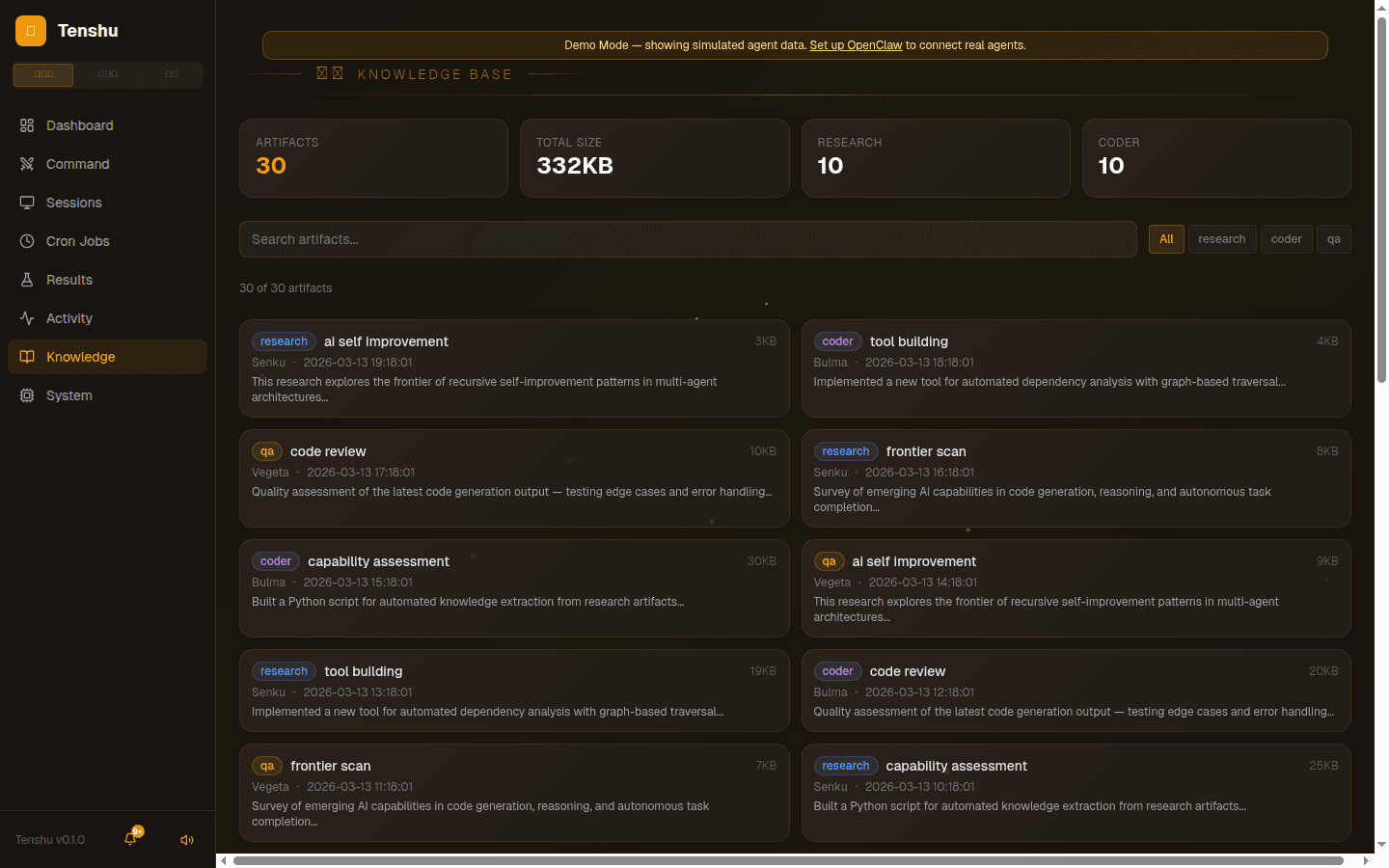
Knowledge Browser
Searchable artifact library with type filtering, stats dashboard, agent attribution, and click-to-expand content viewer.
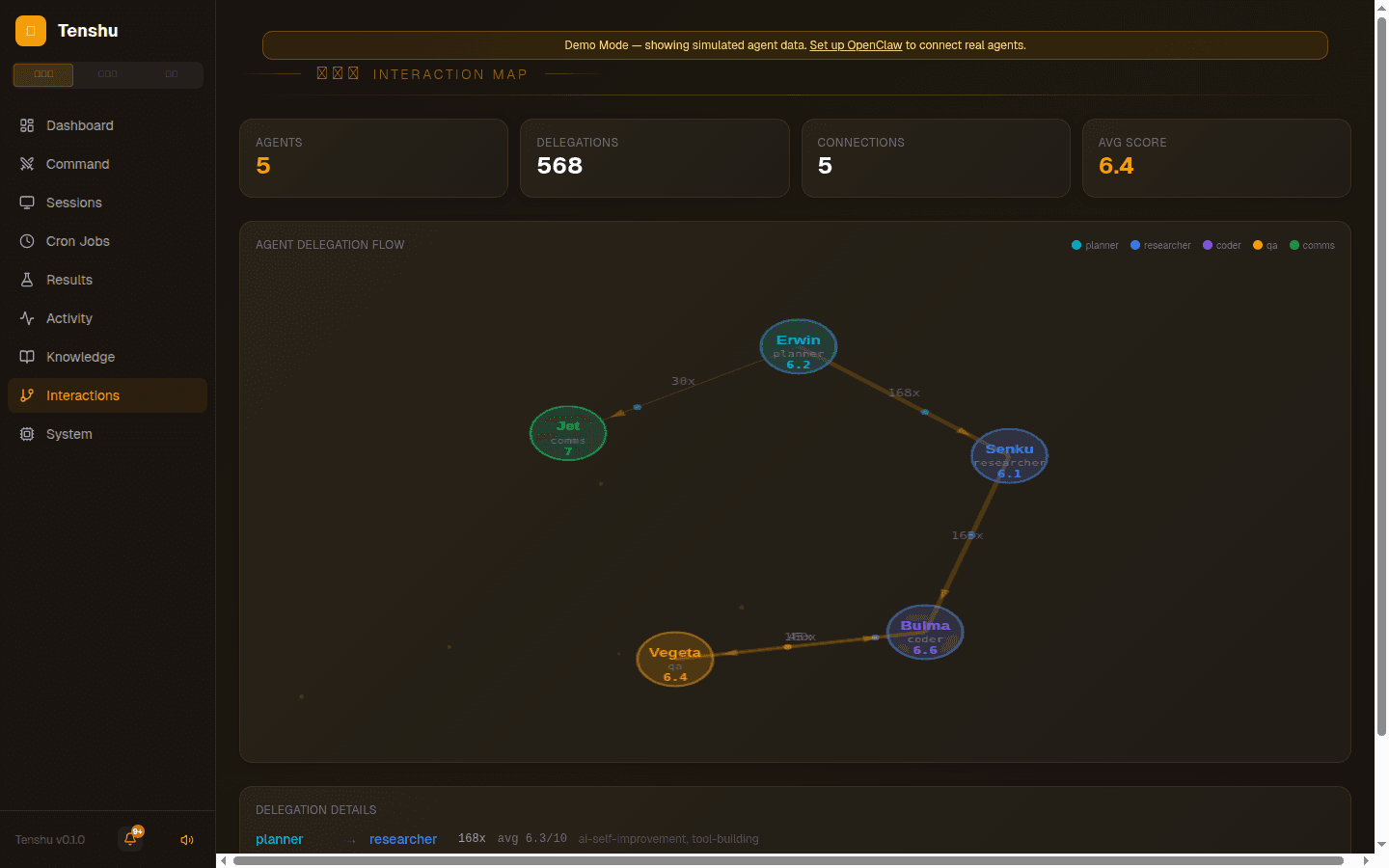
Agent Interaction Map
Force-directed graph showing agent delegation flow with animated particles, delegation counts, and per-connection average scores.
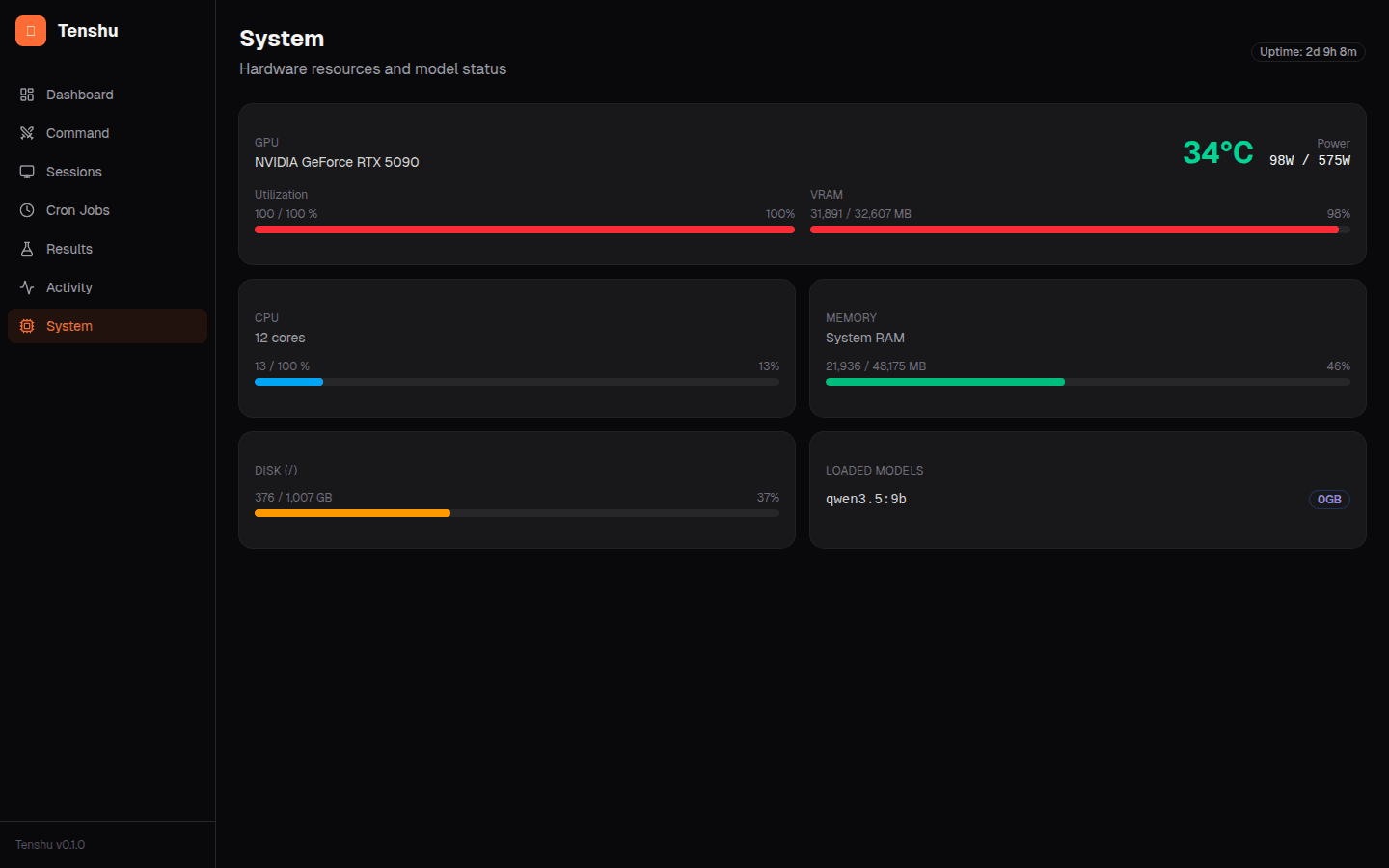
System Monitor
Live GPU/CPU/RAM/disk metrics, loaded Ollama models, and system uptime.
Features
- 3 Immersive Themes — War Room (amber/dojo), Control Deck (cyan/cyberpunk), and Zen Garden (pink/sakura) — global toggle applies to all pages with localStorage persistence
- Command Center — Themed views with AI-generated anime character portraits, per-agent task history, score trend sparklines, live cycle status, and particle effects
- Error State UI — Red glow borders, shake animation, and error messages when agents enter error status
- Anime Sound Effects — Web Audio synthesized sounds per theme: taiko drums (War Room), synth beeps (Control Deck), wind chimes (Zen Garden) — plays on agent status changes with mute toggle
- Avatar Picker — Click agent portraits to choose from 24 AI-generated character images or upload custom avatars
- Agent Dashboard — Live status, current tasks, model info, power levels, XP bars, and level badges (Genin→Hokage) for all agents with real-time WebSocket updates
- Achievement System — 10 unlockable achievements tracked from results data (First Blood, Perfect Score, Hat Trick, On Fire, etc.) displayed on Dashboard
- Session Viewer — Active Claude Code sessions with token counts, model, duration, and cost tracking
- Cron Manager — View, toggle, and manually trigger scheduled tasks
- Results Log — Experiment results with SVG score trend line chart, ratchet floor visualization, per-agent filtering, and task type performance breakdown
- Activity Feed — Real-time orchestrator output, cycle timeline waterfall chart, agent logs, and research artifact previews
- Knowledge Browser — Searchable artifact library with type filtering (research/coder/qa), stats dashboard, and full-content viewer
- Agent Interaction Map — Force-directed graph with animated particle flow showing agent-to-agent delegation patterns, delegation counts, and avg scores
- Notification Center — Bell icon with unread badge, auto-detects high scores, low scores, agent timeouts, and orchestrator errors from live data
- Demo Mode — Simulated agents with cycling states, scores, and terminal output — auto-activates when OpenClaw isn't configured, or via
?demo=trueURL param - System Monitor — GPU temperature, utilization, VRAM, CPU, RAM, disk usage, and loaded Ollama models
- Docker Support — Single-command deployment with
docker compose up
Prerequisites
- Node.js 22+ (or Docker)
- OpenClaw installed and configured (
~/.openclaw/openclaw.json) — optional, demo mode works without it - Linux with NVIDIA GPU (for system monitoring — dashboard works without it)
Quick Start
git clone https://github.com/JesseRWeigel/tenshu.git
cd tenshu
npm install
npm run dev
This starts both the API server (port 3001) and the client dev server (port 5173). Open http://localhost:5173.
Docker
docker compose up --build
Open http://localhost:3001. Without an OpenClaw config mounted, the dashboard runs in demo mode with simulated agent data. To connect real agents, uncomment the volume mounts in docker-compose.yml.
Demo Mode
If OpenClaw isn't configured, Tenshu automatically enters demo mode with 5 simulated agents cycling through working/thinking/idle/error states, fake score histories, and a live terminal feed. You can also force demo mode by adding ?demo=true to any URL.
Generating Character Art (Optional)
Tenshu includes AI-generated anime character portraits. To generate your own with different styles:
# Requires ComfyUI running locally with Flux Schnell model
pip install websocket-client requests Pillow
python scripts/generate-assets.py
Generated images are saved to client/public/assets/characters/ and client/public/assets/backgrounds/.
Configuration
Create tenshu.config.ts in the project root to customize:
export default {
  openclawDir: "~/.openclaw",  // Path to OpenClaw config
  port: 3001,                   // API server port
  clientPort: 5173,             // Client dev server port
  theme: "dark",                // dark | light | system
  accentColor: "#ff6b35",       // UI accent color
};
Environment variables:
OPENCLAW_DIR— Override config directory (default:~/.openclaw)TENSHU_PORT— Override server port (default:3001)RESULTS_TSV— Override results.tsv path (default:~/clawd/team/knowledge/results.tsv)
Architecture
tenshu/
├── shared/     # TypeScript types and constants
├── server/     # Hono API server + WebSocket + file watchers
├── client/     # Vite + React + Tailwind + Shadcn/ui
└── scripts/    # Asset generation (ComfyUI)
Data flow: Server reads openclaw.json as single source of truth → polls openclaw sessions CLI for live sessions → watches agent workspaces for file changes → reads nvidia-smi and /proc for system metrics → broadcasts updates via WebSocket → client renders in real-time.
Tech Stack
| Layer | Technology |
|---|---|
| Client | Vite, React 19, Tailwind CSS v4, Shadcn/ui |
| Command Views | HTML Canvas particles, Web Audio synthesis, AI-generated art (Flux Schnell) |
| Server | Hono, WebSocket, chokidar |
| Real-time | WebSocket (bidirectional) |
| Monorepo | npm workspaces |
| Deployment | Docker, docker compose |
| Testing | Vitest, Testing Library |
| Art Generation | ComfyUI + Flux Schnell (local GPU) |
License
MIT




还没有评论。