

SkillsPM
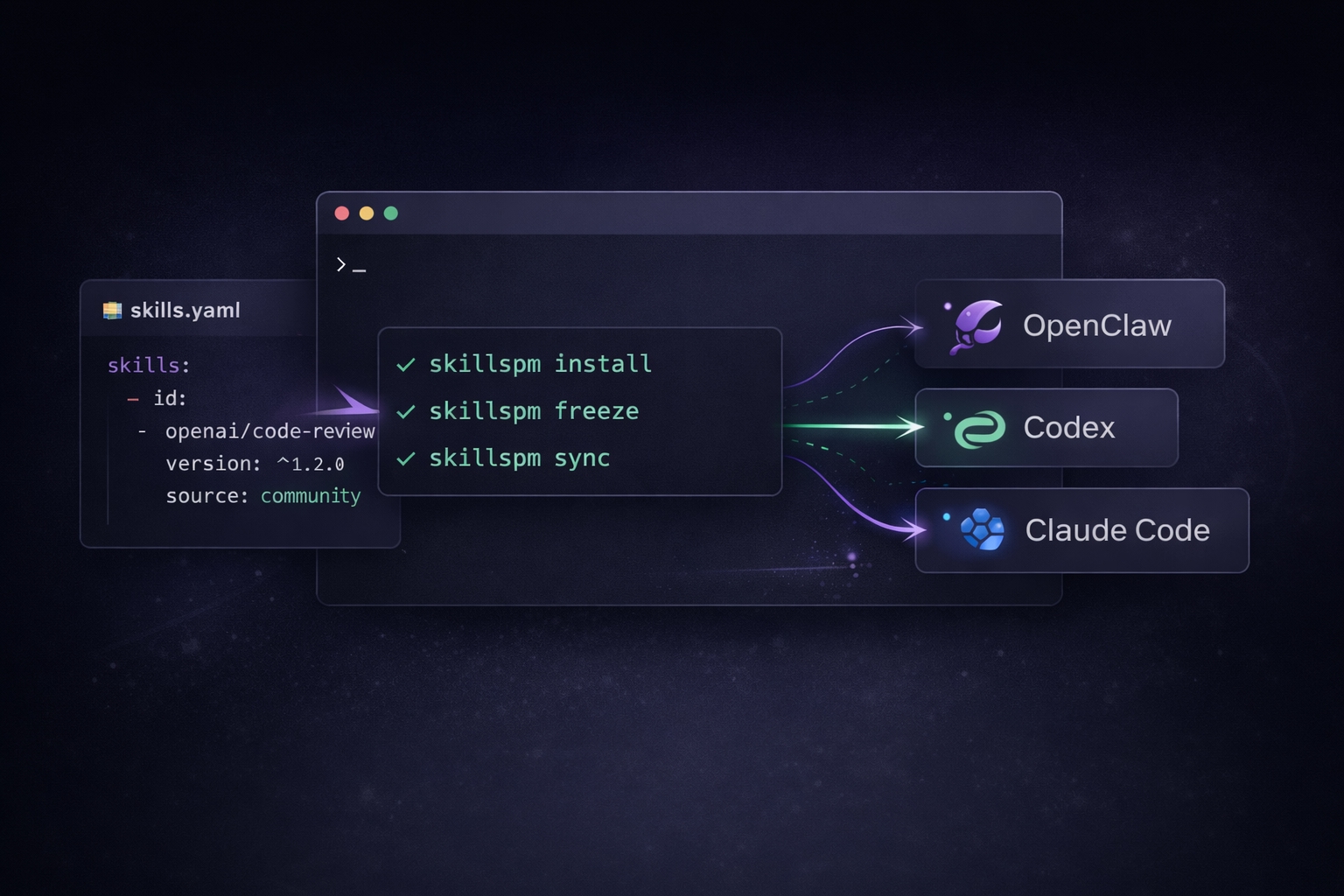
The source of truth is skills.yaml.
Install from it, freeze it, and sync it across agents and projects.






English | 中文
SkillsPM uses a skills.yaml file as the source of truth for a reusable skills environment.
Core workflow:
- install
- freeze
- sync
- import
- inspect
Why this exists
AI coding agents are getting better at using skills, but skill management is still messy.
Teams still:
- copy skill folders by hand
- reinstall the same skills across multiple agents
- lose track of which repo depends on which skills
- create ad-hoc skill folders with no version or metadata
- struggle to move an existing setup from one agent to another
SkillsPM turns that into a reproducible workflow centered around skills.yaml.
Core commands
Install a skills environment from skills.yaml
skillspm install
Freeze the current environment into skills.lock
skillspm freeze
Sync installed skills to another agent
skillspm sync claude_code
Import an existing setup
skillspm import --from openclaw
skillspm install
Imports an existing setup into the current managed environment. By default it can scan the current working tree and the default OpenClaw skills directory.
Turn a raw folder into a managed skill
skillspm inspect ./my-skill --write
Requirements
- Node.js 18+ (recommended)
- macOS or Linux recommended for the current release
Install
Install the latest release from npm:
npm install -g skillspm
If you want to pin a specific release explicitly:
npm install -g skillspm@<version>
Or use the install script, which now installs from npm by default:
curl -fsSL https://raw.githubusercontent.com/sheng-gou/skillspm/main/scripts/install.sh | sh
To pin a version through the install script:
curl -fsSL https://raw.githubusercontent.com/sheng-gou/skillspm/main/scripts/install.sh | SKILLSPM_VERSION=<version> sh
If you want to inspect the install script before running it:
curl -fsSL https://raw.githubusercontent.com/sheng-gou/skillspm/main/scripts/install.sh
If you want to work from source for development:
git clone https://github.com/sheng-gou/skillspm.git
cd skillspm
npm install
npm run build
npm link
Quick start
1. Define your environment in skills.yaml
schema: skills/v1

skills:
  - id: local/code-review
    path: ./local-skills/code-review

targets:
  - type: openclaw
    enabled: true
  - type: claude_code
    enabled: true
2. Install it
skillspm install
3. Sync it to an agent
skillspm sync claude_code
4. Freeze the current state
skillspm freeze
skills.yaml
skills.yaml is the source of truth for a skills environment.
It declares:
- which skills belong to this environment
- where those skills come from
- which agents or targets should receive them
- optional install and sync behavior
skillspm install reads skills.yaml, resolves skills from the declared sources, and installs them into the local .skills workspace.
After that:
skillspm freezewrites the resolved state intoskills.lockskillspm syncpushes the installed environment from.skillsto one or more agents
Minimal example
schema: skills/v1

skills:
  - id: local/code-review
    path: ./local-skills/code-review

targets:
  - type: openclaw
    enabled: true
  - type: claude_code
    enabled: true
Example with sources
schema: skills/v1

sources:
  - name: community
    type: index
    url: ./skills-index.yaml

skills:
  - id: openai/code-review
    version: ^1.2.0
    source: community

  - id: local/release-check
    path: ./local-skills/release-check

targets:
  - type: openclaw
    enabled: true
  - type: codex
    enabled: true

settings:
  auto_sync: true
Where skillspm install gets skills from
skillspm install only installs skills from sources declared in skills.yaml.
In the current release, the main source types are:
- local paths
- declared local source files
This keeps installs explicit and reproducible.
Key fields
schema: manifest versionproject: optional project-level metadata such as an optionalproject.namesources: optional declared sourcesskills: the root skills in this environmenttargets: where installed skills should be syncedsettings: optional behavior such asauto_sync
Skill entries
A skill can be declared in two common ways:
Local path skill
- id: local/code-review
  path: ./local-skills/code-review
Source-based skill
- id: openai/code-review
  version: ^1.2.0
  source: community
In short:
- use
pathfor local skills - use
id + version + sourcefor skills resolved from a declared source file
skills.lock
skills.lock stores the frozen, resolved state of a skills environment.
If skills.yaml describes:
what I want
then skills.lock records:
what was actually resolved and installed
It is mainly used to lock the resolved skills versions and sources, so the same environment can be reproduced later across machines, repos, and agents.
In most cases, you do not edit skills.lock by hand. It is produced by skillspm install / skillspm freeze.
When present, project.name is optional project-level metadata carried forward from skills.yaml.
What it is for
- locking the resolved skills versions
- recording where each skill came from
- making installs reproducible
- helping humans and agents use the same environment
Typical workflow
- edit
skills.yamlto describe the desired environment - run
skillspm installto resolve and install it - run
skillspm freezeto write the resolved state intoskills.lock
In short
skills.yaml= desired environmentskills.lock= frozen installed environment
Common workflows
Manage a repo-local skills environment
skillspm install
skillspm sync
skillspm freeze
Manage a global skills baseline
This assumes you already have a global ~/.skills/skills.yaml manifest.
skillspm install -g
skillspm sync -g
skillspm freeze -g
Import existing skills from OpenClaw
skillspm import --from openclaw
skillspm install
skillspm sync
Normalize a newly created skill folder
skillspm inspect ./scratch/my-new-skill --write
skillspm install
How it works
Project scope (default)
repo/
├── skills.yaml
├── skills.lock
└── .skills/
    ├── installed/
    └── imported/
Global scope (-g)
~/.skills/
├── skills.yaml
├── skills.lock
├── installed/
└── imported/
Recommended usage:
- use project scope by default
- use
-gonly when you want to read or modify the global environment explicitly
Core files
skills.yaml: manifest for the current scopeskills.lock: frozen installation state
Command reference
| Command | Description |
|---|---|
skillspm install [-g] | Resolve and install the skills declared in skills.yaml |
skillspm update [skill] [-g] | Refresh root skill versions from configured sources or pin one skill |
skillspm freeze [-g] | Write the current installation state into skills.lock |
skillspm sync [target] [-g] | Sync installed skills to one or more targets |
skillspm import [--from <source>] [-g] | Import skills from an agent or local path |
skillspm inspect <path> --write | Generate or complete skill.yaml for a raw skill folder |
Other commands
| Command | Description |
|---|---|
skillspm snapshot [--json] [-g] | Export the current skills environment |
skillspm doctor [--json] [-g] | Diagnose environment health |
skillspm init [-g] | Create a starter skills.yaml for a project or global scope |
skillspm add <skill> [-g] | Add a root skill entry to skills.yaml |
skillspm remove <skill> [-g] | Remove a root skill entry from skills.yaml |
skillspm list [--resolved] [--json] [-g] | Show skills in the current scope |
skillspm why <skill> [-g] | Explain why a skill is installed |
skillspm target add <target> [-g] | Add a target agent to the current scope |
skillspm bootstrap [-g] | Shortcut for install + doctor (+ sync if enabled) |
skillspm import scans the current working tree and the default OpenClaw skills directory by default. Use --from openclaw, --from codex, --from claude_code, or --from <path> to import from one explicit source.
For agents
If a repo contains skills.yaml, an agent should usually run:
skillspm install
skillspm doctor --json
If targets are already configured, the agent may also run:
skillspm sync
If a newly created skill folder lacks metadata:
skillspm inspect <path> --write
Agents should not edit skills.lock by hand unless explicitly asked.
Detailed agent-facing instructions should live in AGENTS.md.
Current scope
What works today:
- project scope and global scope
- manifest + lockfile workflow
- import from OpenClaw / Codex / Claude Code / local path
- sync to OpenClaw / Codex / Claude Code / generic target
- inspect and generate minimal
skill.yaml - snapshot and list with JSON output
- doctor with JSON output
Current limitations
Not implemented yet or still limited:
- git source install
- remote registry / auth / download flows
- automatic dependency inference for new skills
- deeper host compatibility rules
Development
npm install
npm test
About the maintainer: HUMAN.md


还没有评论。